CFB Dynasty
A Go library and hosted explorer for reading EA Sports CFB 27 PC offline dynasty saves and exporting the data as JSON or CSV.
Overview
CFB Dynasty is a Go library and CLI for reading EA Sports College Football 27 PC offline dynasty saves and exporting structured league data as JSON. Rosters, recruiting, coaches, schedule and box scores, awards, the record book, and more come out of the same pipeline.
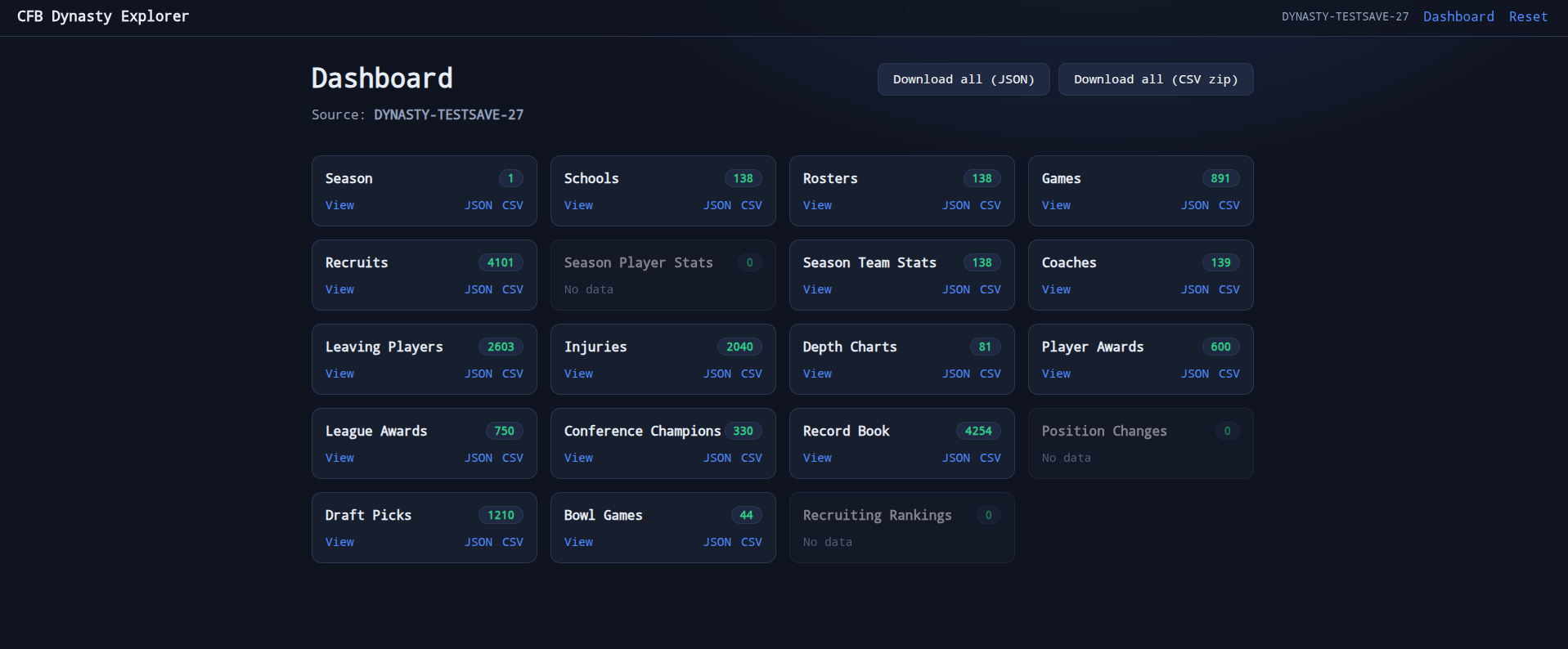
I also ship a hosted web explorer at explorer.leaguelineshq.com so you can upload a save, browse every collection in the browser, and download JSON or CSV. There is a desktop GUI too if you would rather work natively without a server.
How it started
As soon as EA announced CFB 27 on PC, I got excited about automatically pulling data out of online dynasty saves for Commissioner’s Office. That would have made entering league stats almost trivial.
After release we learned online dynasty does not use useful local save files. It stays on EA’s Blaze servers and needs a live connection. I did not want to risk a ban on a legitimate account, and poking at that path would also break the game’s terms of service. So I dropped the online idea.
Offline saves were still sitting there, and they were a good opportunity. The community needed a solid way to explore and export that data. Once I committed to that shift, a CLI alone was not enough. People needed an easy front door. That is what pushed me to build the web interface and host it myself.
Who it’s for
The main audience is players who like to tinker and understand how the game is wired under the hood. Content creators are a big part of it too. They want data straight from their own saves so they can build unique experiences for viewers.
The library
Decoding FranTk-style table data and schemas leans heavily on the approach in the madden-franchise JavaScript API. It would be wrong not to say that up front. I am proud I could take that foundation and extend it for the surfaces CFB players actually care about.
You need a matching schema bundle from your game install to decode a save. Those bundles are game-derived and are not redistributed with the project. The library is read-only on purpose. Writing or editing saves is out of scope.
Source and releases live on GitHub: leaguelines/cfb-dynasty.
Web explorer
The explorer is a single Go binary with server-rendered templates and htmx. You upload a save. The server parses it with the library, then keeps the extracted data in an in-memory session. There is no database. Uploaded files are only on disk long enough to parse, then they are deleted.
In-memory sessions keep the UI snappy. The extract is fast enough that reopening a save after the session expires is not a big deal. I host the public instance on Coolify so anyone with an offline save can use it without installing anything.
Try it: explorer.leaguelineshq.com.
Desktop GUI
I wanted people to use these tools however they already like to work. The desktop app (cfb-dynasty-gui) is built with Wails. It browses the same collections as the web app and exports JSON or CSV, including a full CSV zip, without running a local web server.
GitHub Actions ships nightly and versioned builds for Linux, Windows, and macOS alongside the CLI.